Laboratory Information System
LIS NG for Anatomic Pathology
One modern, web-based system for the whole pathology lab — from case registration to signed report, with quality control, whole-slide imaging and integrations built in
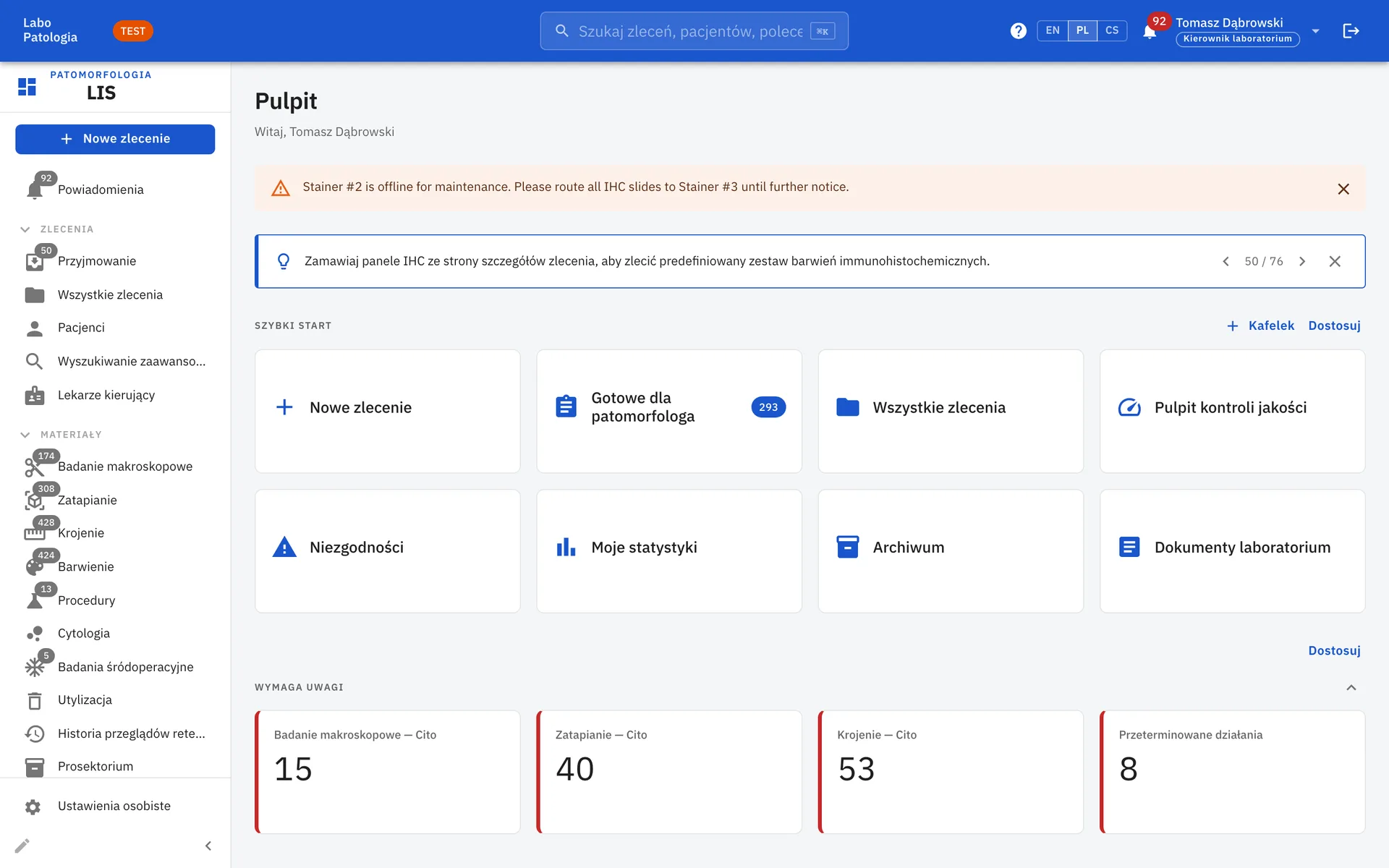
The Complete Pathology Workflow
LIS NG follows each case through registration, accessioning, grossing, processing, embedding, cutting, staining, diagnosis, sign-out, release and archival. Every step is tracked, audited and visible to the people who need it.
Registration & Accessioning
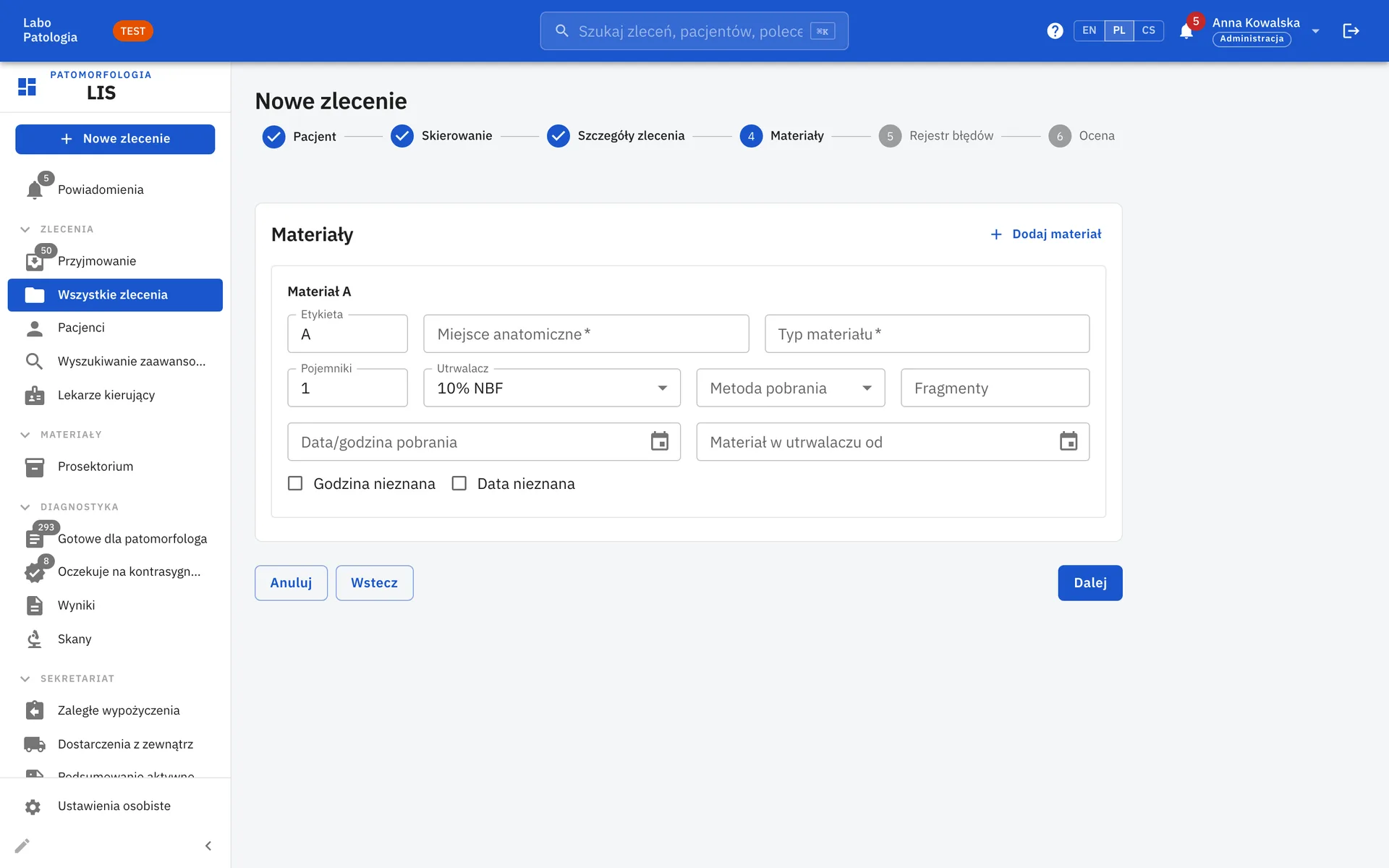
Multi-step case wizard with PESEL auto-fill, ICD-10 / ICD-9 coding, up to 26 specimens per case, receipt-photo attachments and CSV import.
Grossing, Processing, Embedding & Cutting
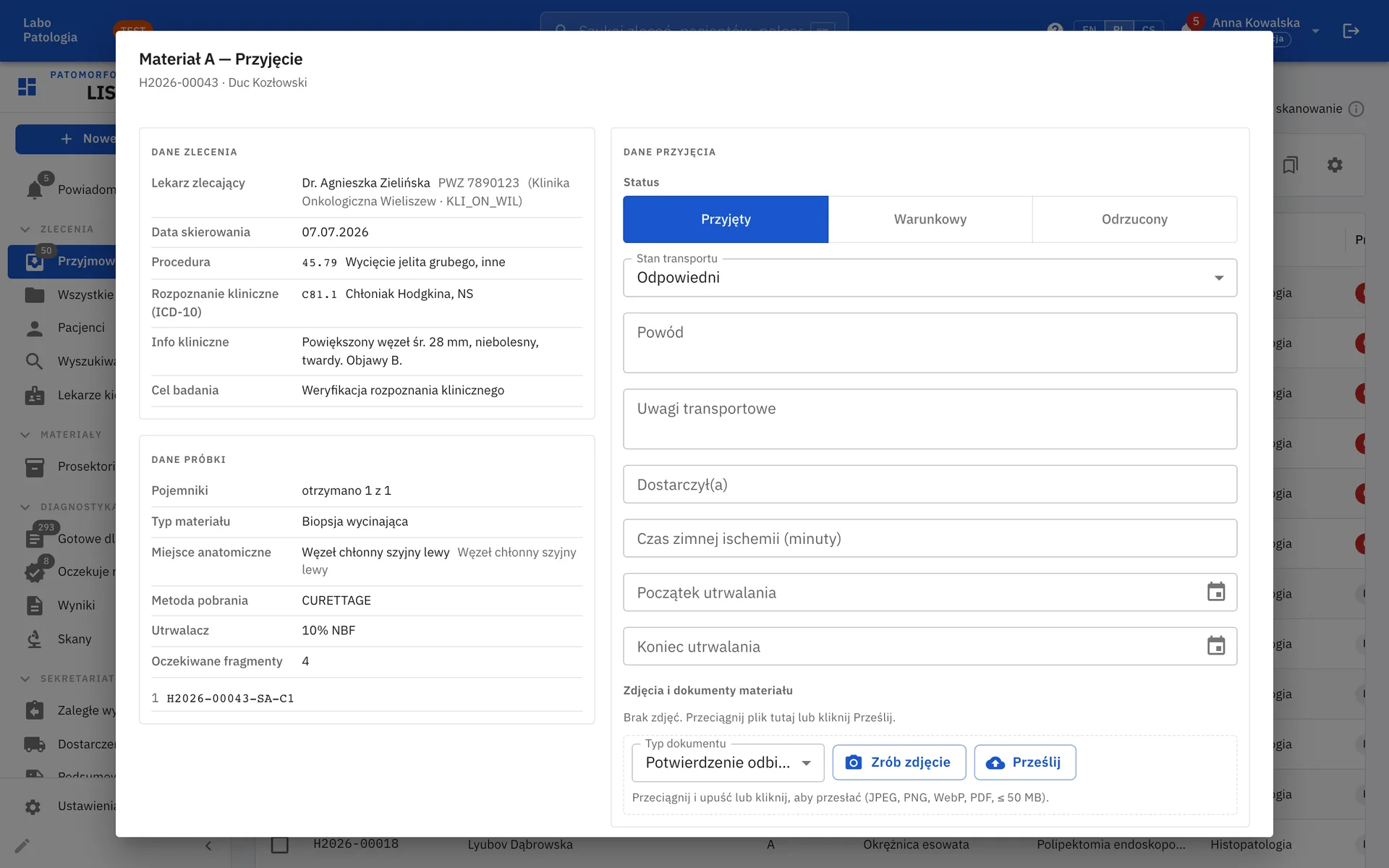
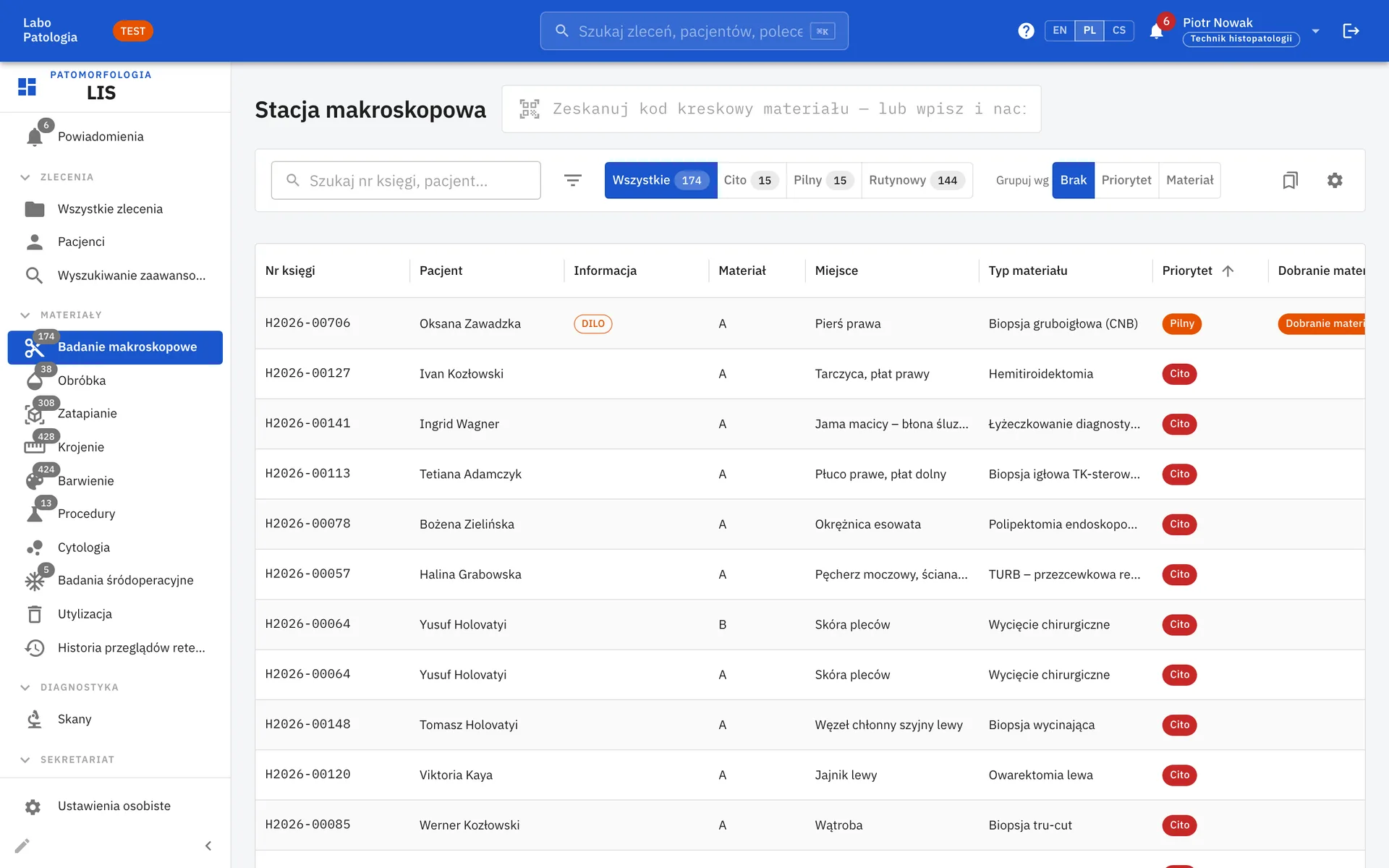
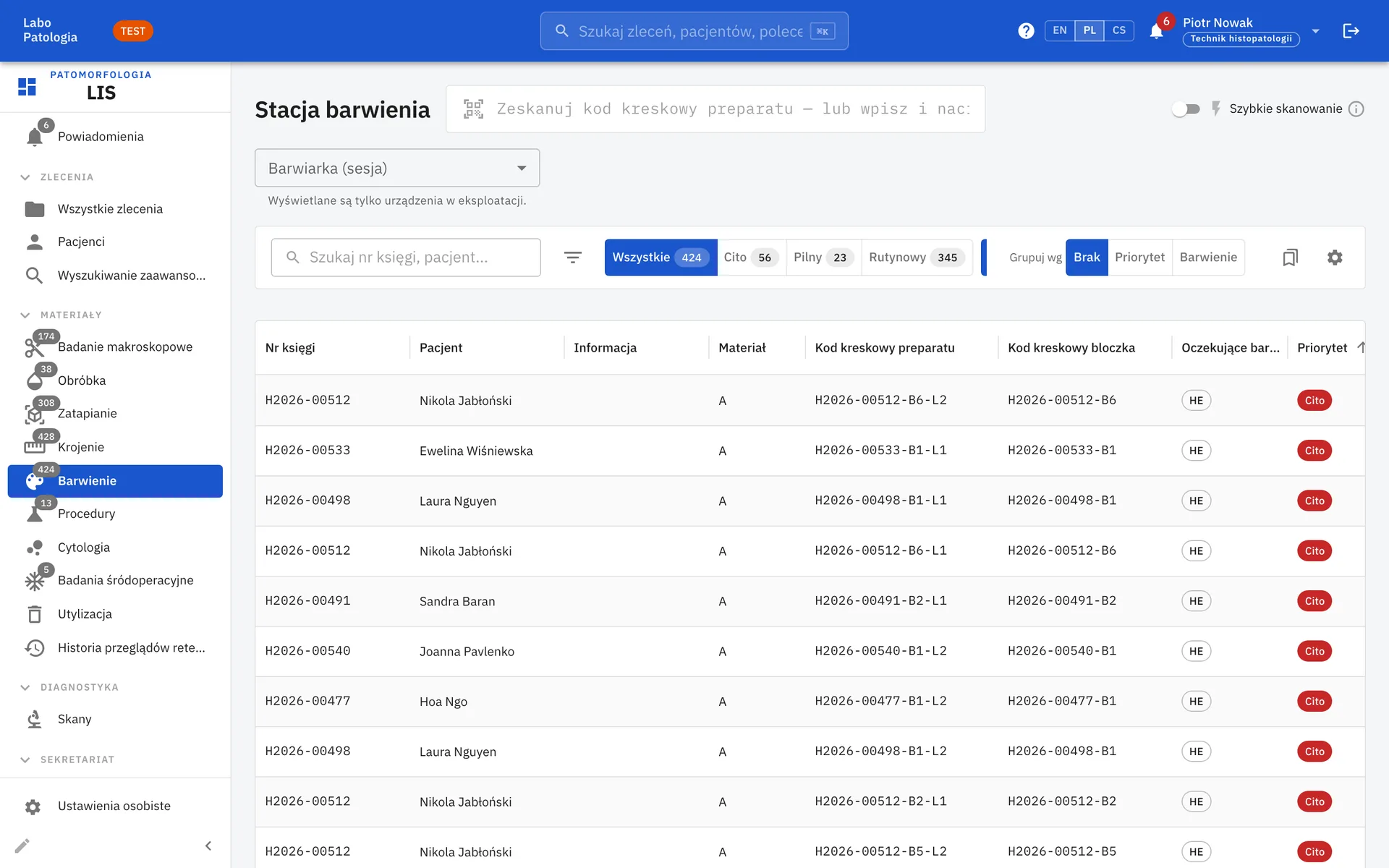
Station-mode worklists for every bench step, barcoded cassettes, blocks and slides, frozen sections and tissue-processing runs.
Staining & IHC
Stain orders, predefined IHC panels, staining runs and result tracking for every slide.
Reporting & Sign-out
Structured reports, pathologist signing, countersignature for residents, amendments and addenda, and PDF export.
Built for the Pathologist's Desk
Everything a pathologist needs to diagnose a case is on one screen, with no hopping between modules.
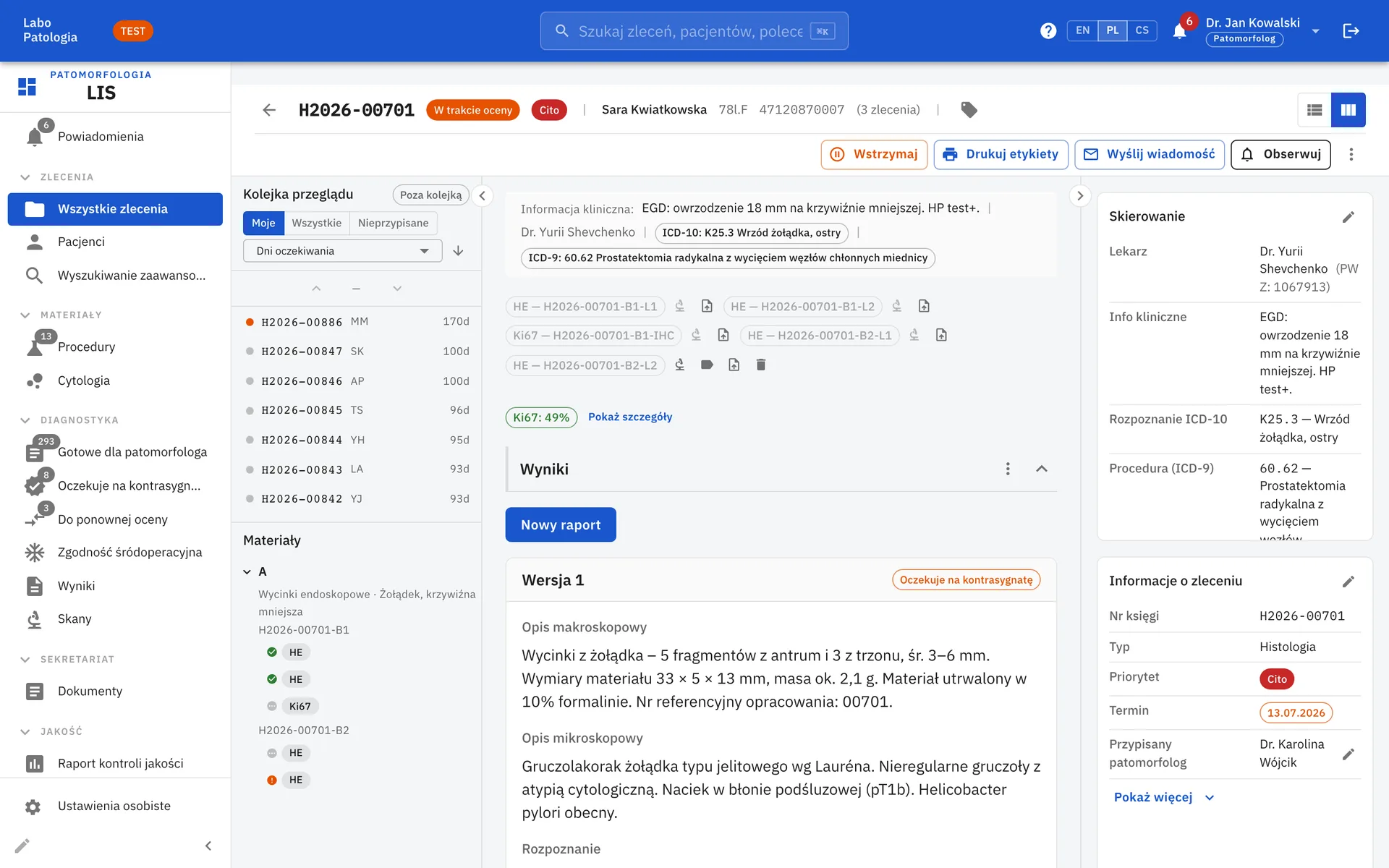
Three-panel review view
Review queue and specimen tree, clinical context and scans, report editor and referral side by side.
Countersignature & second opinion
Resident drafts go to a countersignature queue; concordance reviews support quality programmes.
Sign and next
Move straight to the next case in your queue once a report is signed.
Whole-Slide Imaging Built In
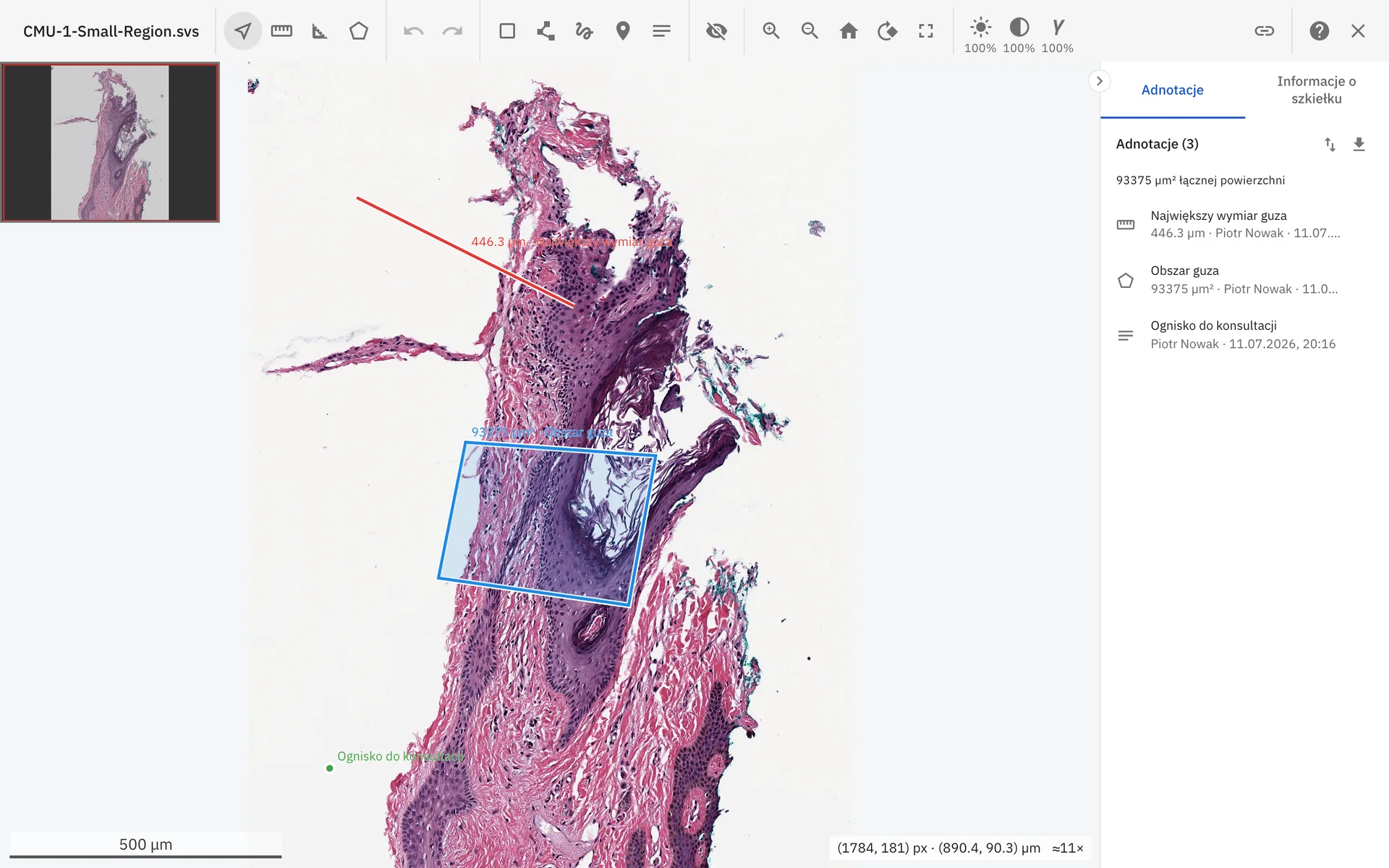
Digital slides sit next to the case they belong to. A scan library, deep-zoom viewer and annotation tools are part of LIS NG, not a separate product.
The viewer is built on Scanome's own PACS (Picture Archiving and Communication System), an advanced, multi-specialty platform for archiving and sharing medical images. PACS is the backbone of the platform for managing diagnostic imaging in the lab.
Deep-zoom viewer
Pan and zoom whole-slide images with brightness, contrast and gamma controls, scale bar and navigator.
Annotations & measurements
Rulers, areas, diameters, ROI shapes, freehand and text markers, with CSV export of measurements.
Compare mode
Linked side-by-side viewing, for example H&E next to IHC, with automatic alignment.
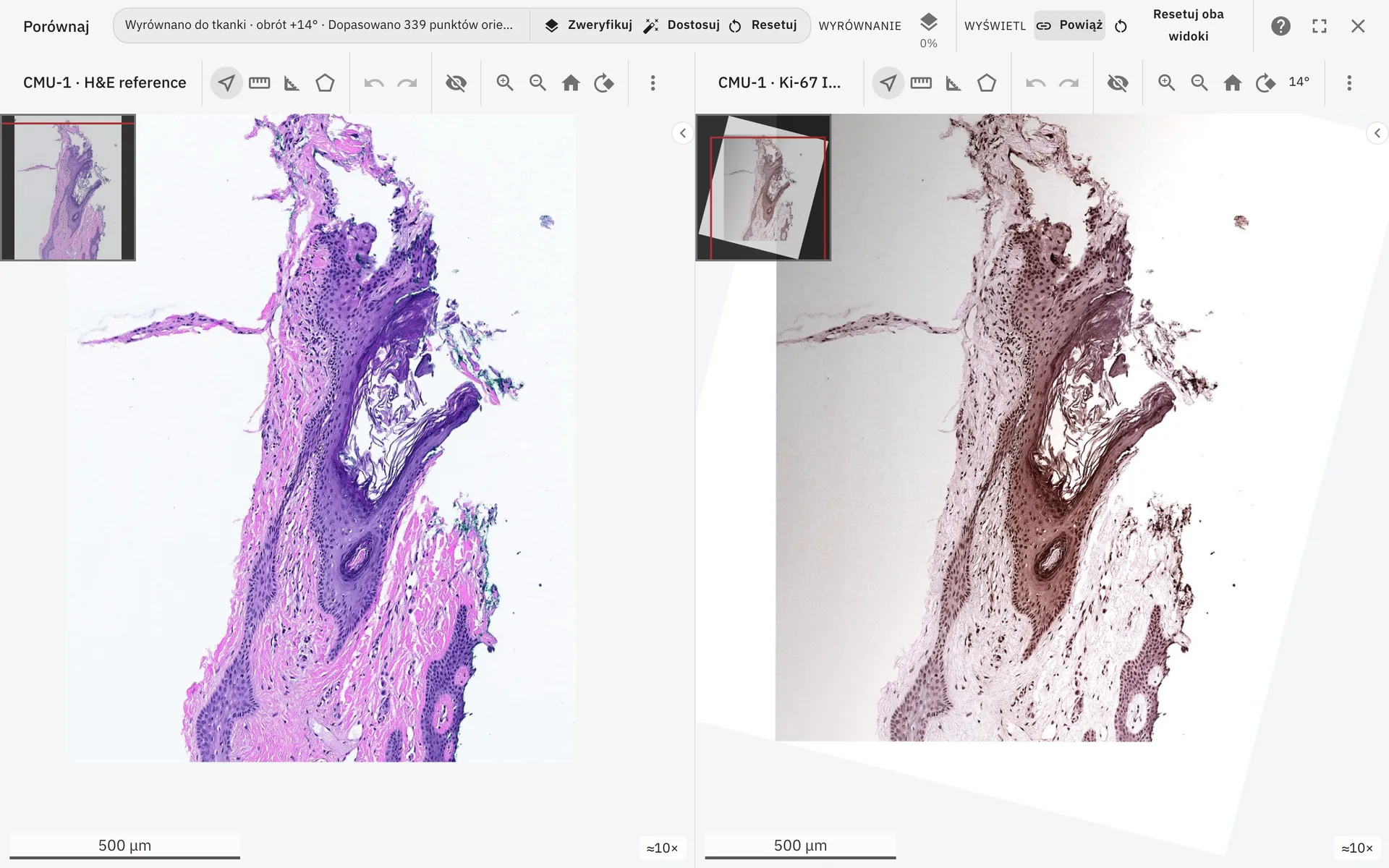
Compare mode: H&E and Ki-67 aligned side by side.
Quality & Accreditation
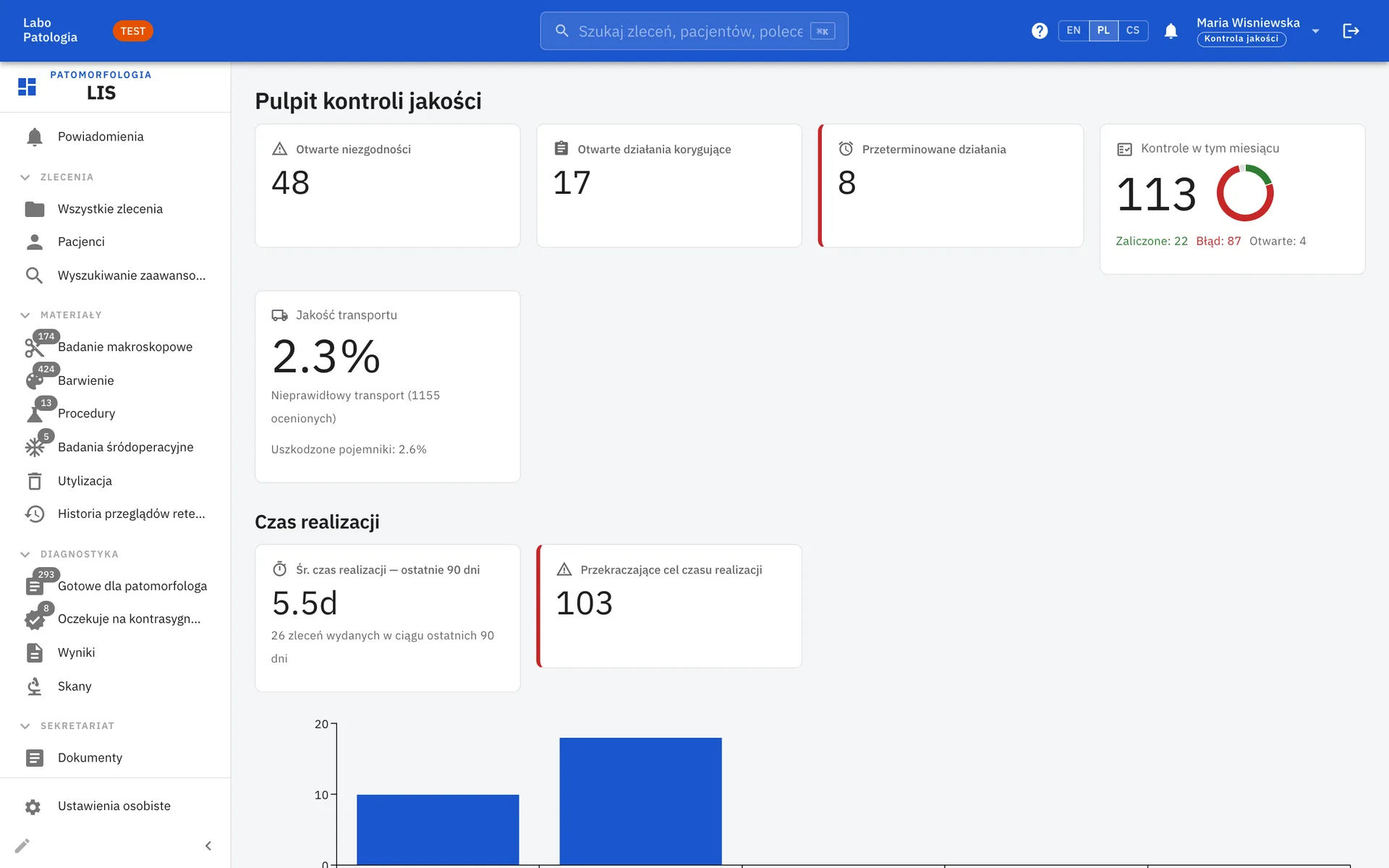
Quality control is part of the daily workflow, so evidence for audits builds up as the lab works.
QC checks, rules & dashboard
Control-slide pass rates, turnaround times, transport quality and EQA rounds at a glance.
Nonconformities & CAPA
Coded pre-analytical error register, nonconformities and corrective actions with effectiveness review.
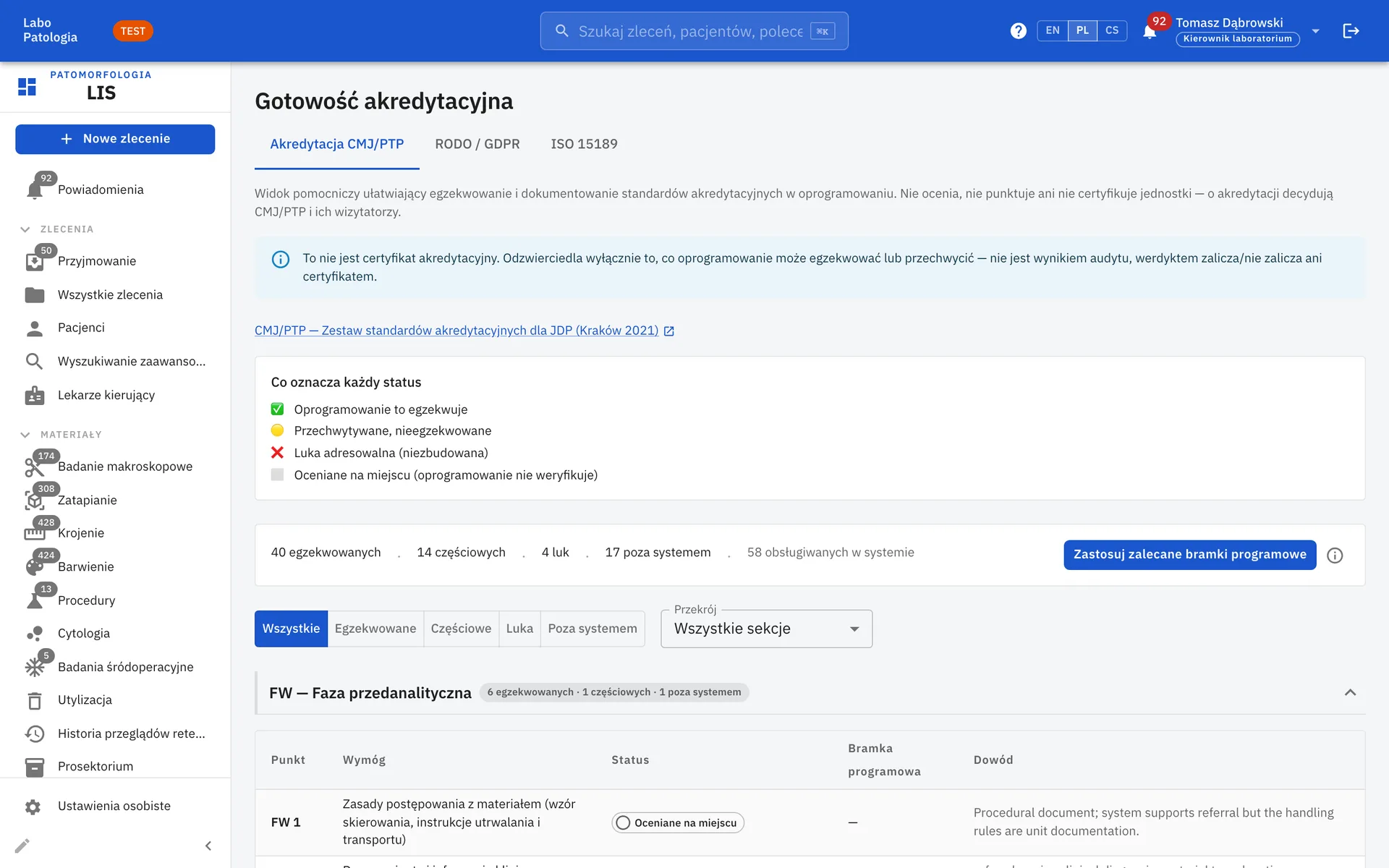
ISO 15189 evidence
Method validation register, lab documents, complaints, staff training and a complete audit log.
Secure by Design
Patient data deserves more than a password. LIS NG layers several safeguards so that the right people see the right data, and nothing more.
Encrypted patient data
Identifiers and contact details are encrypted with AES-256-GCM at application level, on top of disk encryption and TLS in transit.
Per-tenant isolation
Row-level security in the database keeps every organisation’s data separate, even within a shared deployment.
Strong access control
Role-based permissions, two-factor authentication, single sign-on and IP allowlists for sensitive areas.
Complete audit trail
Every change to a case, specimen or report is logged with who, what and when.
Integration Without Limits
LIS NG is built on open standards, so it connects to the systems your lab already uses: hospital information systems, scanners, identity providers and national e-health platforms. If you need a new connection, we build it.
HL7 v2 & FHIR
Inbound orders and outbound results over HL7 channels, FHIR result delivery, message log and replay.
Open REST API
A documented OpenAPI interface for connecting scanners, analysers, data warehouses and AI tools.
Single sign-on
Sign in with Microsoft Entra ID, Google Workspace, Okta or any other OpenID Connect provider.
Polish P1 e-Health
Medical event and electronic documentation submission to the national P1 platform.
See LIS NG in Action
A short tour of the system and its main workflows.
A Closer Look
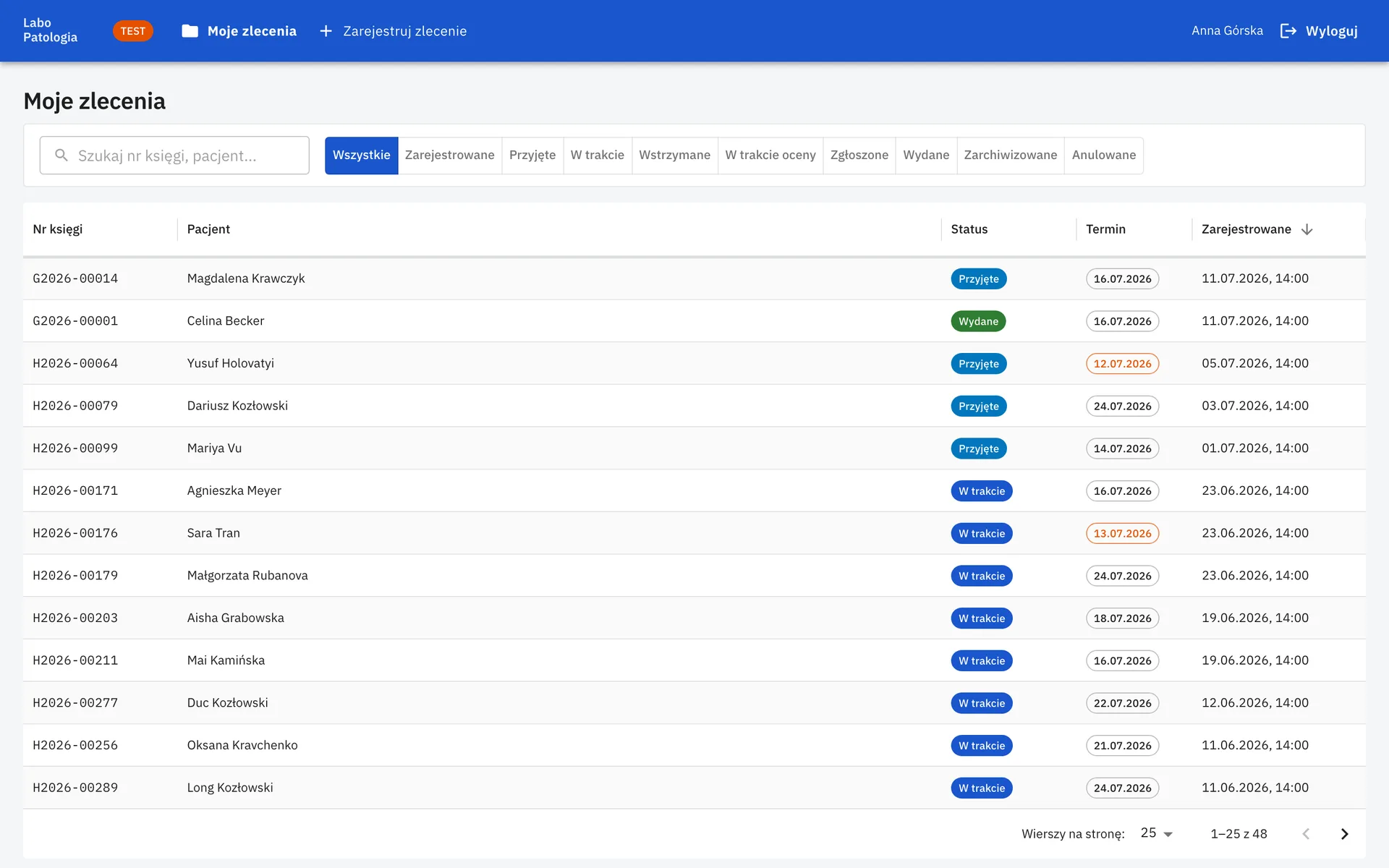
Screens from across the lab
Ready for Real Labs
Designed for multi-site pathology departments and their partners
Referring hospitals register their own orders and see only their own cases and reports.
Billing items and exports per referring institution, plus block and slide loan tracking.
Command palette, saved views, customisable dashboard and in-app help. Available in English, Polish and Czech.
Designed for Speed
A busy lab can't wait for its software. LIS NG keeps common actions one keystroke away.
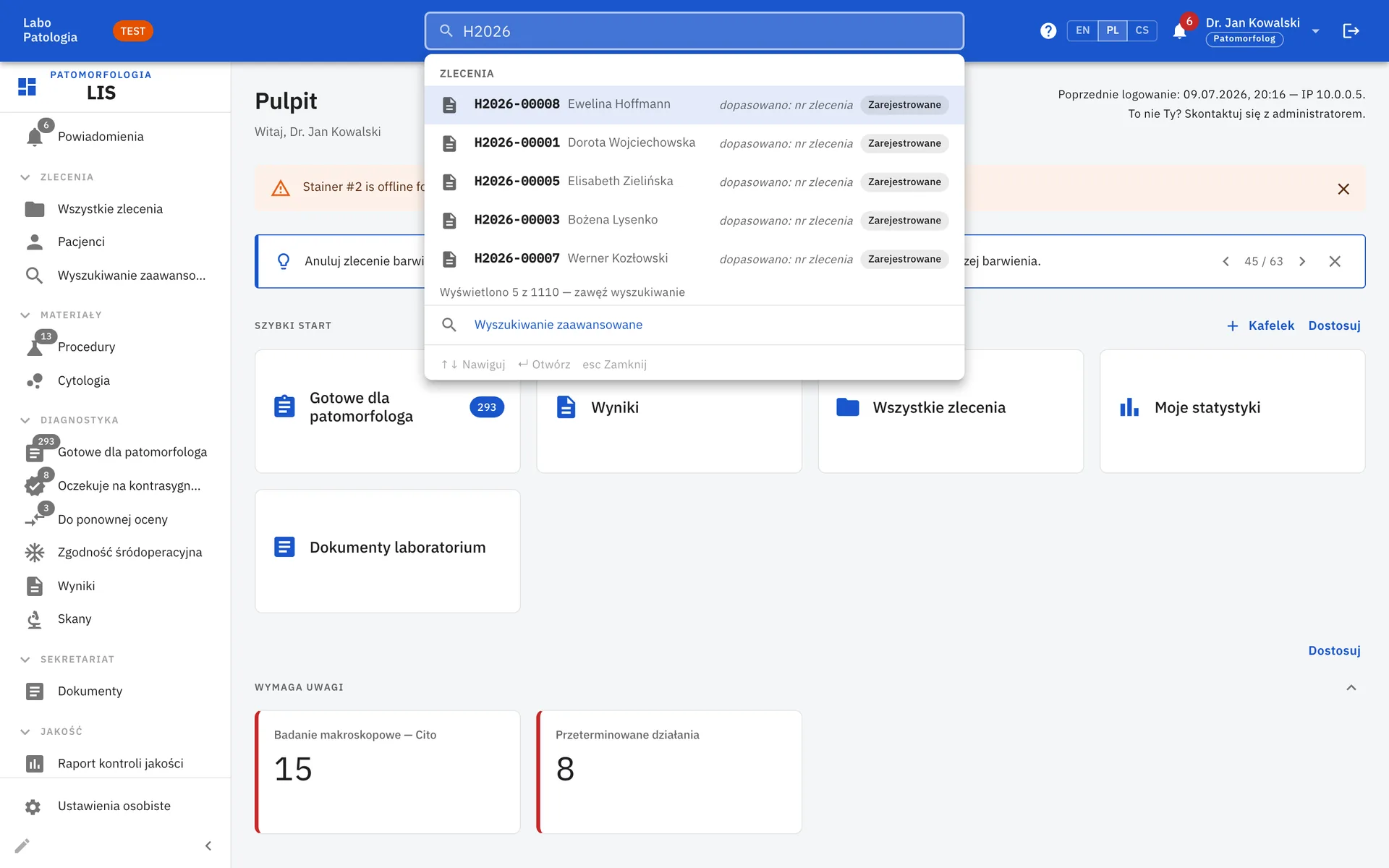
Search everything
Find cases, patients and commands from one search box.
Keyboard-first
Open the command palette with ⌘K / Ctrl+K and jump anywhere.
Bring Your Lab onto LIS NG
Talk to our team about a demo, a pilot or migrating from your current system.